· 8 min read
Building SketchyDraw: a real-time collaborative whiteboard
How I built a hand-drawn collaborative whiteboard with Next.js, a HTTP server, a WebSocket server and Postgres: the sync model, an infinite canvas, a split between durable and ephemeral messages, and the trade-offs I made.
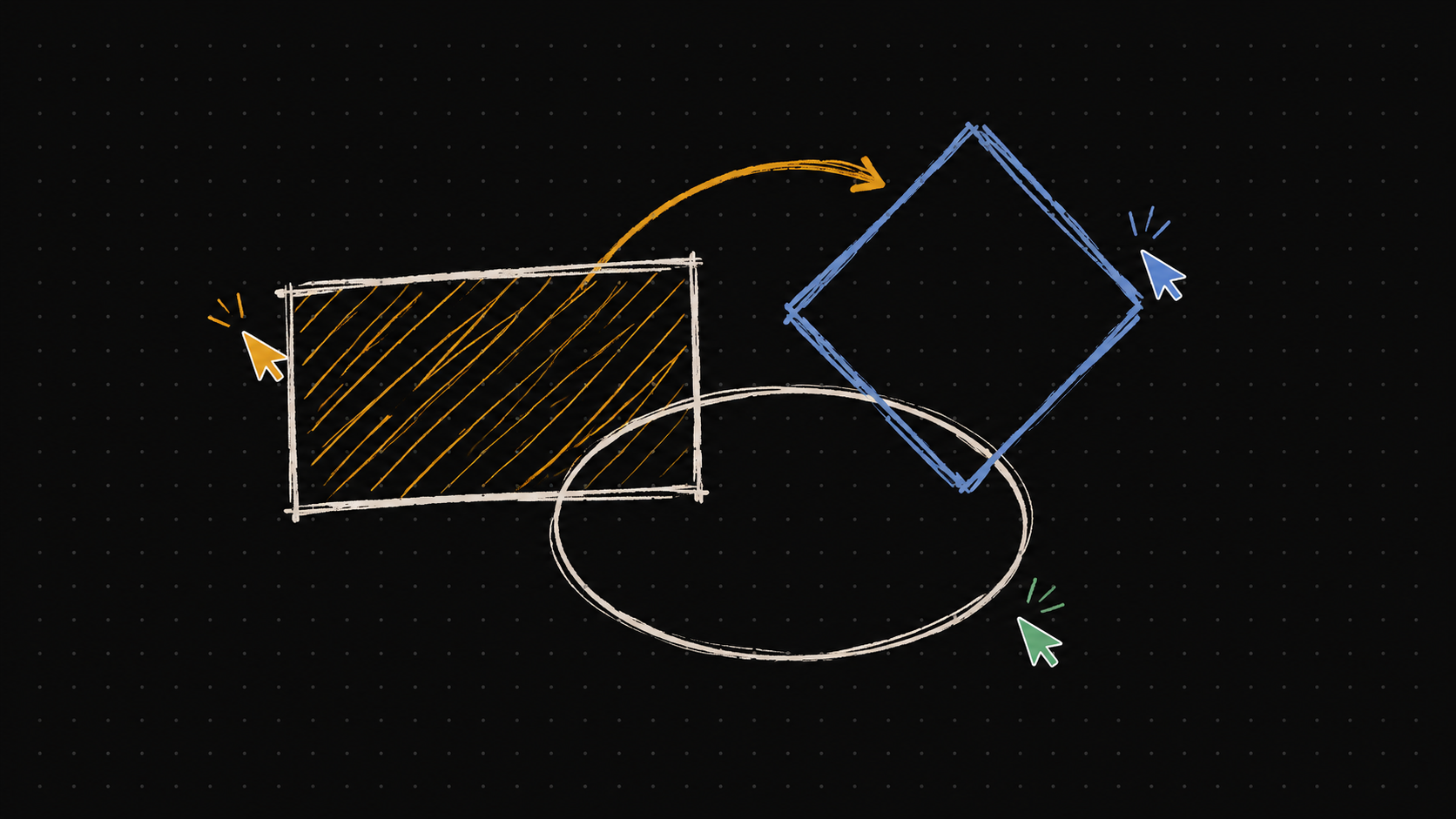
I wanted to build something real-time that I would actually use, and a whiteboard is a good excuse: it is simple to explain, hard to get right, and every part of it is visible. SketchyDraw is a collaborative whiteboard with a hand-drawn look, built on RoughJS. You can start drawing without an account, turn the board into a shared room with one click, and send a link to anyone who should join.
Try the live demo or read the source on GitHub.
What it does
A local board first.
/canvasneeds no account. The board is stored in the browser, so you can sketch and come back later.One click to collaborate. "Start Session" creates a room, uploads the shapes you already drew, and moves you into it. "Stop session" copies the room's shapes back to your local board.
Sharing. A share dialog gives you a room link. Anyone who opens it and signs in joins the room.
Presence. Participant avatars at the top, remote cursors with a name label and a colour derived from the user ID, and live previews of what other people are drawing or typing right now.
Ten tools: hand (pan), select, rectangle, diamond, ellipse, line, arrow, freehand, text and eraser, with keyboard shortcuts (
H,1to8,0).Styling: stroke and fill colours, three fill styles (hachure, cross-hatch, solid), stroke width and style (solid, dashed, dotted), roughness, and font settings. Selecting a shape loads its style into the panel, and changing the panel restyles the selection.
Editing: resize handles, copy and paste, an infinite canvas with pan and zoom, and JSON export and import.
Touch: pointer events throughout, so it works on phones and tablets.
Architecture
It is a pnpm and Turborepo monorepo with three apps and a few shared packages:
apps/frontend      Next.js (App Router), Tailwind, zustand, RoughJS
apps/http-server   Express: sign up, sign in, rooms, bulk shape save
apps/ws            WebSocket server: rooms, relay, persistence
packages/db        Prisma client + schema (PostgreSQL)
packages/common    Zod schemas shared by the servers
Splitting HTTP and WebSocket into separate processes keeps each one small. The HTTP server handles everything request and response shaped (accounts, room management, the one-off bulk upload when a session starts). The WebSocket server only knows about connections, rooms and shapes. Both use the same Prisma package, and the HTTP server validates its input with the shared Zod schemas. Each service has its own multi-stage Dockerfile, and a Compose file wires them together.
Start local, go collaborative
The most useful decision was making the single-player board the default. The board lives in a zustand store that is persisted to localStorage, under a special key for the standalone canvas. When someone starts a session, the app creates a room over HTTP, uploads the local shapes with one bulk request, and then connects to the room over WebSocket. Nobody has to decide in advance that a drawing will be shared, and nobody loses work when they do.
The protocol: durable versus ephemeral
The WebSocket protocol is small. The client sends five message types: join-room, leave-room, chat (which carries a shape), cursor and preview. The server answers with participants-update and relays the others.
The split that matters is between messages that are saved and messages that are not:
Durable: a shape. It is written to Postgres, then relayed to everyone else in the room.
Ephemeral: cursors and previews. They are relayed and forgotten. A preview is the shape someone is still dragging out, or the text they are still typing, and a
nullpreview clears it.
Treating them differently keeps the database out of the hot path for high-frequency data, and it keeps the board clean: half-finished strokes never reach storage. Cursor and preview messages are throttled to about 30 frames per second. Previews are dropped when a user leaves, and when someone edits an existing text shape, their preview reuses that shape's ID so everyone else hides the original while it is being edited.
The sync model
I chose the simplest model that works: last write wins, at the level of a whole shape.
The sender applies the change locally, so the board feels instant.
It sends the complete shape to the server.
The server looks the shape up by room and shape ID, then updates the row or creates it, and relays the message to everyone else in the room.
Receivers update the shape in their own store, and skip the update if a deep comparison says nothing changed.
Deleting uses a tombstone: the shape is replaced by a message of type deleted, which removes the row on the server and filters the shape out on every client.
Late joiners get the current board by replay. On join-room the server reads the room's shapes from Postgres and sends them to the new client, one message per shape.
I did not use a CRDT or operational transforms. Shapes are small, edits replace the whole object, and idempotent whole-shape messages are easy to reason about. The cost is plain: if two people edit the same shape at the same moment, the last message to arrive wins. For a whiteboard where people mostly draw their own things, that is an acceptable trade. For a shared document it would not be.
Persistence
The Prisma schema has three models. User holds the account, with a bcrypt-hashed password. Room belongs to its creator, and room names are unique per user rather than globally, which a later migration changed. Shape stores the client's shape ID together with the shape itself as JSON text, plus the room and user.
Storing the shape as an opaque JSON blob means I can change the shape model, adding a new style property for example, without a migration. The price is that shapes cannot be queried in SQL.
Hand-drawn rendering with RoughJS
RoughJS generates the wobbly, sketched look from a seed. The seed is derived from the shape's ID (the first eight hex characters), so a shape regenerated from the same ID and geometry gets the same jitter. That matters because every receiver builds its own drawable from the shape it gets, and I want a rectangle to look like the same rectangle for everyone, not re-roll its wobble each time it is redrawn.
The drawing loop is deliberately plain:
Each shape caches its RoughJS drawable, so the geometry is not recomputed on every frame.
When shapes, pan, zoom, selection or previews change, the canvas is cleared and redrawn inside a single
requestAnimationFrame.Text is drawn with the canvas text API in the hand-written font, and edited in a DOM overlay that is positioned from the current zoom and offset.
Redrawing everything is fine for boards of normal size. It is also the first thing I would revisit for very large ones (more on that below).
An infinite canvas
Pan and zoom come down to one transform applied to the 2D context, plus the inverse mapping for input. Shapes are stored in world coordinates, and a pointer position is converted with (client - canvasRect - offset) / zoom.
Zoom is anchored to the cursor: the world point under the mouse stays put while the scale changes.
Zoom is clamped between 0.1 and 50, and pinch (which browsers report as Ctrl plus wheel) gets extra sensitivity.
Remote cursors are sent in world coordinates and positioned with the receiver's own offset and zoom, so your cursor lands in the right place on my screen even when we are zoomed differently.
Input that survives touch screens
Everything uses Pointer Events with pointer capture, and the canvas tracks a single active pointer ID. That detail matters on touch: without it, a second finger landing mid-stroke can corrupt the shape being drawn. On small screens the toolbox moves to the bottom and scrolls horizontally.
Tools under the hood
Hit testing. Lines, arrows and freehand strokes use point-to-segment distance with a tolerance that scales with zoom (so a click is forgiving at any zoom level). Other shapes use their bounding box.
Resizing. Four corner handles. Freehand points are scaled proportionally, and resizing text scales the font size, clamped to a sensible range.
Eraser. Shapes under the pointer fade while you drag, and are deleted on release, using the tombstone path described above.
Style sync. The style panel and the selection are linked in both directions: selecting a shape fills the panel, and editing the panel restyles the shape.
Trade-offs and what I would do next
This is a portfolio project, and I would rather list the gaps than hide them:
No undo and redo. It is the most obvious missing feature. Whole-shape messages make it feasible, since an undo is another write, but it needs a per-user history.
Last-write-wins. Simultaneous edits to one shape lose data. A per-shape version number would at least detect the conflict.
Reconnection is manual. If the socket drops, you restart the session yourself, and edits made while offline are not queued.
One WebSocket process. Connections and rooms are tracked in memory. Scaling out needs a shared message bus such as Redis pub/sub, plus a way to route a room to the right place.
Persistence cost. Every move frame of a dragged shape is written to the database. Debouncing or batching writes, and an index on the room ID, would help a lot.
Rendering. A full redraw per change, with no viewport culling, and no pixel-ratio scaling for high-DPI screens.
Access control. Rooms are open to anyone who has the link and an account. Per-room permissions are the missing piece.
Export. JSON only. PNG and SVG export are next.
Tests and CI. There are none yet.
The stack
Frontend: Next.js (App Router), React, TypeScript, Tailwind CSS, zustand, RoughJS.
Servers: Express and the
wslibrary, Zod for validation, JWT for sessions, bcrypt for password hashing.Data: PostgreSQL with Prisma.
Tooling: pnpm workspaces, Turborepo, Docker and Docker Compose.
What I took from it
Separate what must be saved from what only needs to be seen. Cursors and previews are most of the traffic, and none of it needs a database.
The simplest sync model that fits the problem is usually the right first one. Whole-shape last-write-wins shipped quickly and its limits are easy to explain.
Canvas apps are mostly coordinate-system bookkeeping: world versus screen, zoom versus offset. Getting that right once, in one place, removes a whole class of bugs.
You can draw on it at sketchydraw.bhagat.dev, and the code is on GitHub.